Cookie Crush Puzzle Arcade
Review
Cookie Busting Puzzle Game stands out with its clean design and simple mechanics. Each level presents a small challenge that feels rewarding to solve. The obstacles add variety without making the game frustrating. Children can replay levels to improve their speed, which adds to the fun. It is a wholesome choice for short breaks or longer play sessions. The game encourages logical thinking and planning in a gentle way.
About This Game
Game Introduction
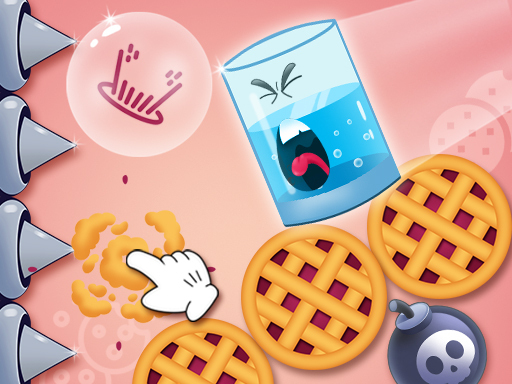
Cookie Busting Puzzle Game invites players into a sweet world of colorful cookies and cheerful challenges. Designed as a family-friendly arcade puzzle game, it asks you to burst cookies in the correct order to help a glass move down to the ground. Each level introduces new obstacles that require careful thinking and planning. The game is completely safe, with bright graphics and easy controls that make it accessible for kids of all ages. With many levels to explore, children can enjoy hours of playful learning and problem-solving. Friends can join in to see who solves puzzles the fastest, adding a fun social element to the cookie-crushing excitement.
How to Play
Players typically tap or click on cookies to burst them. Each burst moves the glass closer to the ground. Watch out for obstacles that block your path and plan your moves carefully. The rules are simple: burst all cookies in the correct order to win. Levels become harder as you progress, so stay sharp. You can play alone or with friends for more fun. No downloads are needed—just start playing online. The controls are easy for kids to learn. Have fun and keep bursting!
Game Features
Fun cookie bursting action. Many levels with increasing difficulty. Simple tap or click controls. Safe and kid-friendly design. Bright and cheerful graphics. Play alone or with friends. No downloads required. The game offers a calm and engaging puzzle experience that helps kids practice planning and problem-solving in a positive environment.
Tips for Success
Take your time to observe the layout before making any moves. Plan the order of cookie bursts carefully to avoid getting stuck. Practice regularly to improve your puzzle-solving skills. If you play with friends, try to learn from each other's strategies. Stay patient and remember that each level is designed to be solvable with thoughtful planning.