

Group Singing Mechanics
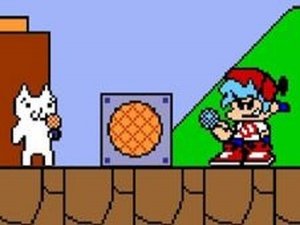
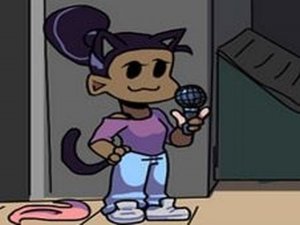
In this rhythm game, the core idea is that all on-screen characters contribute to the song. Instead of a single performer, the melody is shared among a cast, making each successful note feel like a collaborative achievement. The game transforms a familiar tune into a lively ensemble piece where timing and coordination are key. Players guide the performance by pressing keys in sync with the music, and the characters respond by singing their parts.
Keyboard-Based Beat Matching
Using arrow keys on a keyboard, players hit notes as they appear on screen. The game begins at a comfortable pace, allowing newcomers to get a feel for the rhythm. As the song progresses, the note patterns become more complex, requiring sharper timing. This gradual increase in difficulty keeps the experience engaging without overwhelming beginners. The focus remains on auditory and visual synchronization.
Accessible Web Performance
This version is designed to run smoothly on a wide range of hardware, including Chromebooks, Mac, Linux, and older Windows PCs. Because it operates entirely within a web browser, there is no need to install additional software or files. This low-barrier entry point makes it easy for families and classrooms to enjoy the game without technical hurdles. The web adaptation preserves the core rhythm gameplay while optimizing for different screen sizes and input methods.
Family-Friendly Musical Atmosphere
The content is suitable for all ages, with no violent or mature themes. The cheerful singing and bright visual style create a welcoming environment. The game emphasizes positive social interaction through music, making it a good choice for group play or solo practice. The shared singing mechanic adds a layer of warmth that distinguishes it from more competitive rhythm games.
Practice and Progression Tips
To improve, players should focus on the beat of the music rather than just the visual cues. Regular practice helps build muscle memory for common note patterns. Starting with slower sections and gradually attempting faster ones can prevent frustration. If input lag occurs, adjusting keyboard or display settings may help. Staying relaxed and enjoying the melody often leads to better performance over time.








Comments
0 comments