

Game Introduction
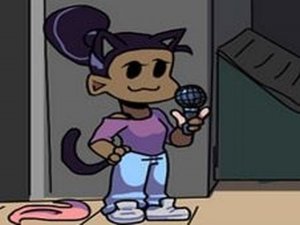
Partner Performs Freedom Dive is a rhythm game where you assist a character in performing the song Freedom Dive. Based on a mod by Dr. Daynaze with music by XI, the game challenges your timing and coordination. It is a family-friendly experience suitable for all ages who enjoy music and interactive challenges. The core objective is to follow the rhythm and hit each note accurately as the song plays. What makes this game unique is its focus on a single musical piece, allowing players to fully immerse themselves in the beat and melody. The modded content adds a fresh twist to the familiar rhythm game format, offering both new and returning players a reason to engage. Players of all skill levels can enjoy the straightforward yet engaging gameplay loop.
How to Play
In this rhythm game, players watch for floating arrow symbols that appear above the character. When an arrow appears, press the corresponding key on your keyboard. The goal is to hit each note accurately in time with the music. If too many notes are missed in a row, the performance ends and you must start over. Practice helps improve your rhythm and timing. The game uses simple keyboard controls, making it accessible for beginners while still offering a challenge for experienced players. The key is to stay focused on the arrow indicators and anticipate the beat of the music.
Game Features
The game features catchy music from the Freedom Dive song, simple keyboard controls, and a straightforward rhythm gameplay loop. It is designed to be accessible for beginners while still offering a challenge for experienced players. The modded content adds a unique twist to the original experience. The game may include visual feedback for accurate hits, encouraging players to improve their timing. The family-friendly nature makes it suitable for all ages who enjoy music and interactive challenges.
Tips for Success
Focus on the beat of the music to anticipate when arrows will appear. Start at a slower pace if available, and gradually increase speed as you improve. Keep your eyes on the arrow indicators and avoid looking away. Practice regularly to build muscle memory and reduce missed notes. Stay relaxed and maintain a steady rhythm to improve your overall performance.









Comments
0 comments