Lila and Ena Beat Challenge

Lila and Ena Beat Challenge

Developer: Zap Core Digital
Published: 2024-07-07
Updated: 2026-06-27
| Rhythm Game , Music Game , Arcade Game , Casual Game , Timing Game , Family Game

Review

Lila and Ena Beat Challenge offers an engaging rhythm experience with easy-to-learn mechanics. The cheerful soundtrack and colorful visuals create a positive atmosphere. Custom skins add variety, and the open-source nature encourages community involvement. Ideal for casual players seeking a quick, enjoyable music game without complex rules.

About This Game

Game Introduction

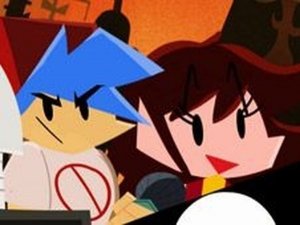
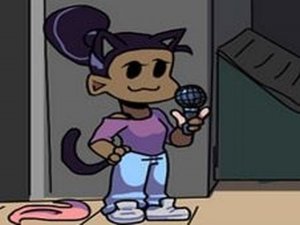
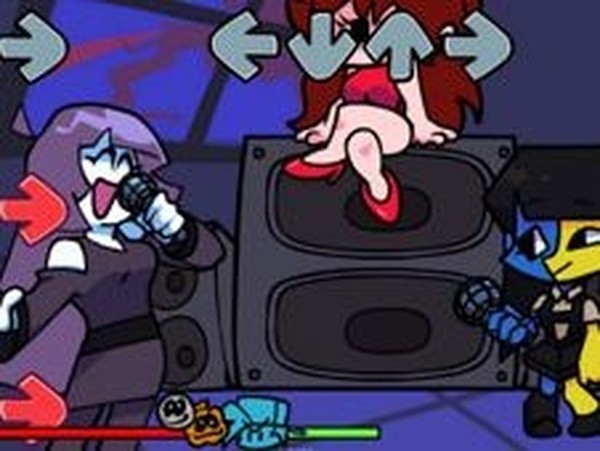
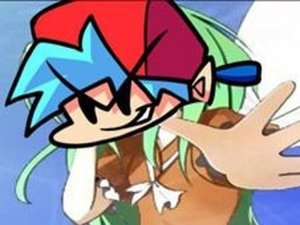
Lila and Ena Beat Challenge is a cheerful music-based game where two characters perform a playful song together. This rhythm game is part of a mod inspired by the Friday Night Funkin universe, created by ninjamuffin99 with art by PhantomArcade 3K and Evilsk8r, and music by Kawai Sprite. Custom skins are contributed by RenxTheHedgehog, SunSpirit, and rhubarb. Your objective is to follow the beat and press the correct arrow keys when matching symbols appear above your character. Hit every note to complete the song and win, but missing notes repeatedly will end the game. This is an open-source project, and you can support the developers if you enjoy it.

How to Play

Start by pressing the play button to begin the song. As the music plays, arrow symbols will appear above your character. When they match, press the corresponding arrow key on your keyboard (up, down, left, right). The goal is to hit every note in sequence to finish the song. Missing multiple notes in a row causes you to lose, so stay focused. Practice helps improve your timing and accuracy. The controls are simple and intuitive, making it easy for players of all skill levels to jump in and enjoy the rhythm.

Game Features

This game offers fun rhythm gameplay with two beloved characters. It features simple controls using only arrow keys, cheerful music, and colorful visuals. As an open-source mod, it includes custom skins created by the community. The game is available online and provides a quick, entertaining experience perfect for short breaks. Daily new games may be available on the site, adding variety to your gameplay sessions.

Tips for Success

To succeed in this rhythm game, focus on the beat and try to anticipate the arrows as they appear. Practice regularly to improve your timing and accuracy. Start with slower songs if available to build confidence before tackling faster tracks. Stay relaxed and avoid tensing up, as this can affect your reaction time. If you miss a note, don't get discouraged—just keep going and try to stay on track for the rest of the song. Consistent practice is key to mastering the rhythm and achieving high scores.

Compatibility

This H5 game runs smoothly on:
• Desktop computers (Windows / Mac) • Mobile phones (iPhone / Android)
• Tablets (iPad / Android)
🌐 Best experienced with Chrome, Safari, or Edge

Faq

Can I play Lila and Ena Beat Challenge on my mobile phone?
The game is designed for keyboard use, so it works best on computers or laptops. Some mobile browsers may support external keyboards, but touch controls are not currently available. Check the game website for any updates on mobile compatibility.
Is there a way to change the difficulty level in Lila and Ena Beat Challenge?
The game does not specify difficulty settings. However, some rhythm games offer options like slower speeds or practice modes. You may want to check the game settings or community forums for any hidden features or mods that adjust difficulty.
How can I support the developers of Lila and Ena Beat Challenge?
Since this is an open-source project, you can support the developers by contributing to their code repository, making a donation if they have a page, or promoting the game on social media. Check the game website or official channels for specific ways to help.
Are there any other songs available besides the one shown in Lila and Ena Beat Challenge?
The game description mentions daily new games may be available on the site, which could include different songs. Some rhythm mods also allow users to add custom songs. Explore the game website or community pages to see if additional tracks are offered.
Can I create my own custom skins for Lila and Ena Beat Challenge?
Yes, the game is open-source and includes custom skins contributed by the community. If you have graphic design skills, you can create your own skins. Look for instructions on the game's official website or developer repository to learn how to submit your work.
Is Lila and Ena Beat Challenge safe for children to play?
Yes, the game features cheerful music, colorful visuals, and simple controls. There is no violent or inappropriate content. The objective is to press arrow keys in time with the beat, making it a family-friendly activity suitable for players of all ages.